The Calc. E Line Editor
|
Using The Line Editor
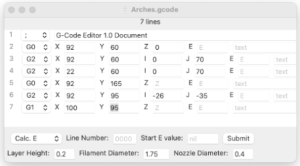
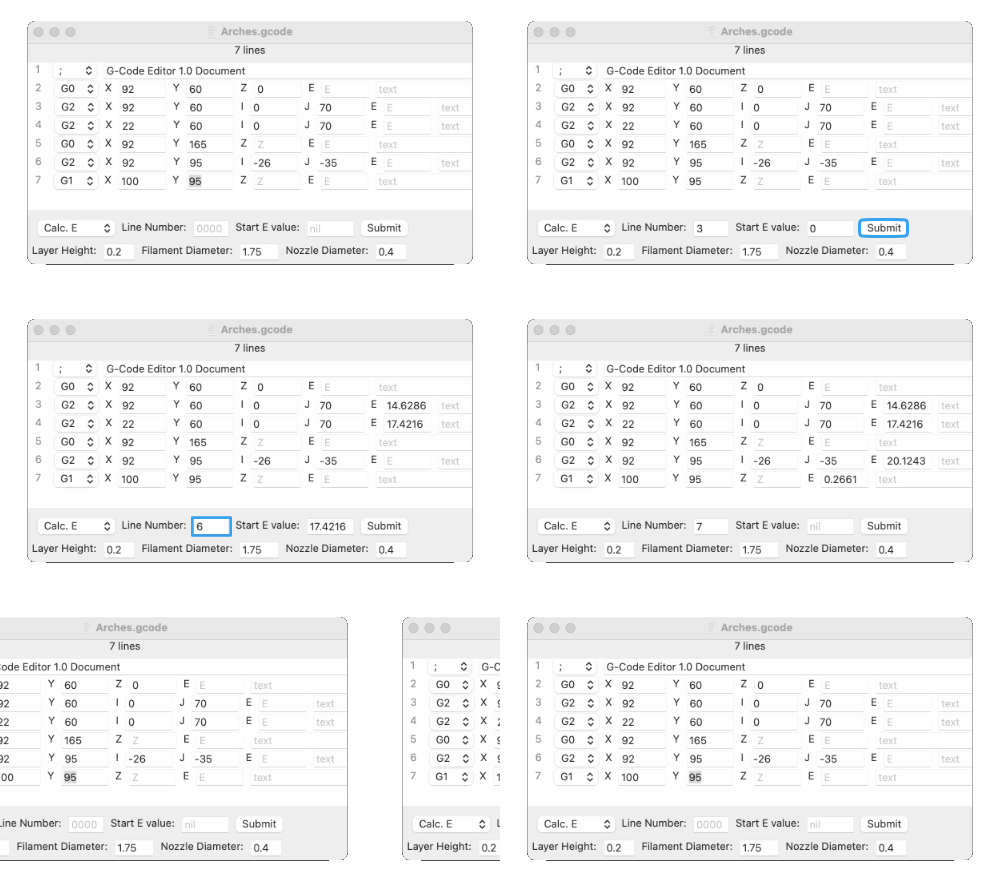
Use Calc. E to calculate the Extruder value for your 3D print. To use the Default values you can just enter the line number you want to calculate. The Default values are based on a standard personal 3D printer, but the values can be modified for you model or for changes during the printing process, like layer height. If you leave the "Start E value:" to nil, the calculated Extruder value will be a line specific (relative) value that automatically fills the E field. But if you want an absolute (continuous) value, enter a 0 or greater value into the "Start E value:" field. After that, following E values will be added to the previously calculated value and automatically entered into the E field and "Start E value:" field.
|
Example
|
|